


The Labor Distribution report shows how many hours and shifts each person has been assigned within a selected date range. It’s most commonly used to ensure part-time staff are receiving a fair and balanced distribution of hours, but it can be used for any group of employees.
This report displays:
-
Total hours each person has been assigned
-
Total number of shifts
-
Percentage share of the department’s total coverage
This makes it easy to spot if one employee is receiving a disproportionate share of hours compared to others.
How to Access the Labor Distribution Report
-
Log in to Pace Scheduler.
-
Go to Admin Panel.
-
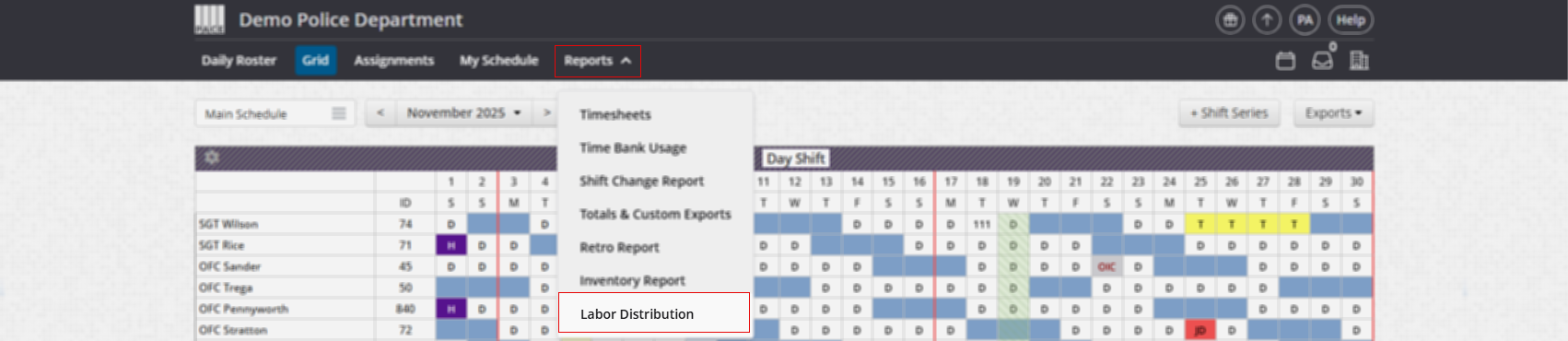
In the header menu click Reports
-
Click Labor Distribution.
How to Use the Report
-
Select the Date Range you want to evaluate.
-
You can review a single week, a month, a year, or any custom range.
-
-
Review each employee’s hours, shifts, and percentage of total assigned work.
-
(Optional) Click any column header to sort the table results.
This report helps ensure shifts and hours are distributed in a fair and consistent manner across your department.

